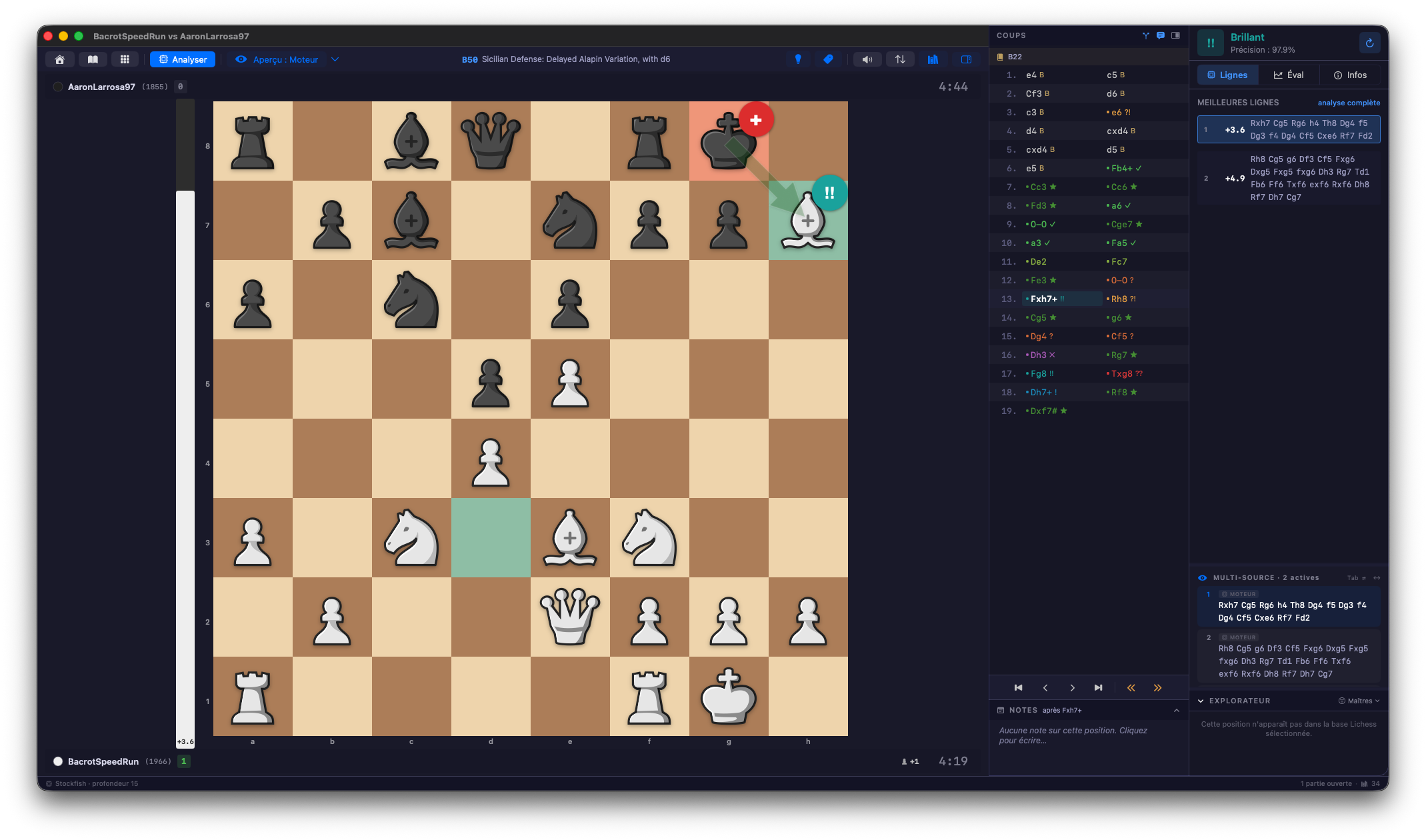
Your Lichess and chess.com archives can be browsed from the application, month by month. One click opens the game. Played twenty blitz games tonight? Batch analysis handles them while you look at the first one.
The engine is Stockfish 19. It runs on your computer: no queue, no counter.
◆
Step 2
Read the verdict, move by move.
Each move gets a plain word, from Brilliant to Blunder. The graph shows the moment the game turned.
Eleven categories, the ones you already know: Best, Excellent, Inaccuracy, Mistake, Blunder…
Jump from mistake to mistake on the keyboard, without scrolling through the game.
Look at the clock: a blunder played in two seconds is not a blunder played after three minutes.
Your opinion counts: annotate a move, and your verdict replaces the engine’s.
◆
Step 3
Understand what should have been played.
Knowing the move was bad is not enough. You need to see the right continuation, on the board.
Step through the right line as ghost pieces, move after move, without leaving your game.
Try your idea: play it on the board, the engine evaluates it at once.
Ask for more: “Deepen this move” makes the engine search deeper, where you have doubts.
Compare: the Explorer shows what masters play in this position.
◆
Step 4
Keep the lesson.
This is the step everyone skips. The position that trapped you becomes an exercise, in one gesture, during the analysis: “Create an exercise from this position”.
You file your exercises in sets: “Rook endings”, “Missed forks”, “My November blunders”.
◆
Step 5
Review your own mistakes.
Régence ships no ready-made exercises. The positions that make you improve are your own.
Ten positions per session, starting with the ones due for review.
What you know is spaced out. What you missed comes back sooner.
Looking at the solution counts as “to review”: an answer you were given is not an answer you know.
◆
Try it on your own games.
Seven days, every feature. Studies and training are not counted. No card, no account.
Then €49 once, no subscription, for 2 computers, Mac or PC.